Buildin vs. Logseq 2026: Outline Mode, Graph View & AI Integration Compared
Buildin vs. Logseq: compare local-first, bidirectional-link daily notes and graph thinking with database-style organization, collaboration workflows, and creator monetization.
Introduction
In an age of information overload, the real challenge isn't collecting knowledge — it's deciding which tool's structure matches how your brain actually works. Logseq and Buildin represent two very different answers. Logseq is built around outline mode and bidirectional links: every block is a bullet, daily notes are the default entry point, and a graph view shows how all your notes connect. Buildin takes the opposite approach: flexible mixed-format documents, database views (kanban, table, gallery), native AI integration, and real-time team collaboration — built for knowledge workers who need to produce output, not just capture it.
I. Core Philosophy: Tools Designed for Different Layers of the Problem
Understanding a tool's underlying philosophy is the first step in making a good choice. It defines the boundaries of what the tool can do and the type of value it can ultimately deliver.
Buildin: A Closed-Loop Platform Connecting Knowledge, Collaboration, and Business
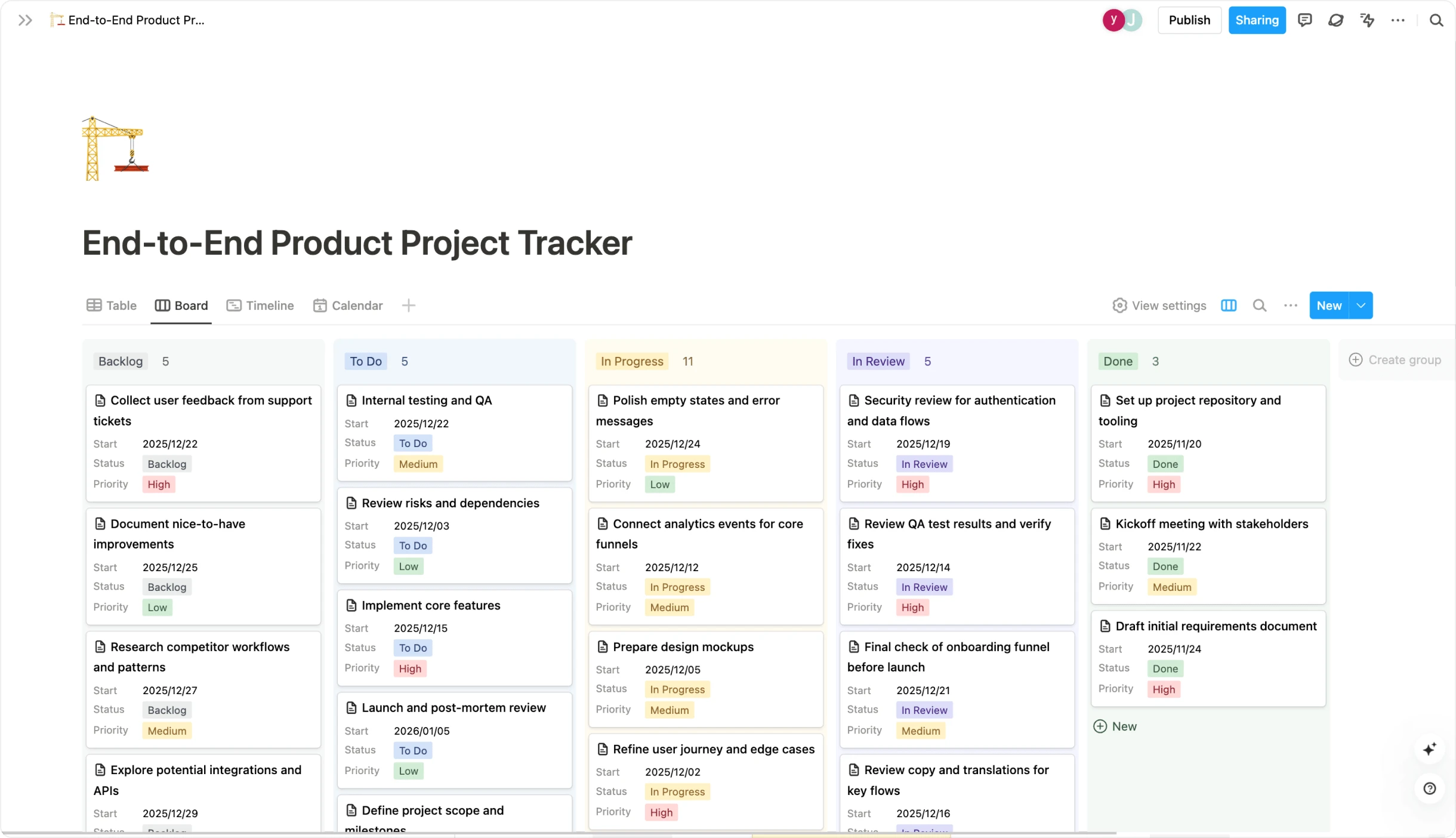
Buildin's ambition goes beyond traditional note-taking. Its core idea is to create an "all-in-one workspace for work and growth." That means it not only helps you capture and organize information (knowledge management), but also builds in powerful team collaboration features and native monetization capabilities.You can think of it as combining Notion's modular databases and real-time collaboration with Gumroad-style creator monetization, all within a single platform.
Its core value lies in removing tool fragmentation. For content creators, knowledge entrepreneurs, and growth-oriented teams, there's no need to keep switching between separate tools for notes, project management, payment processing, and customer management. From capturing ideas and drafting content, to internal review, paywall setup, and subscriber management, every step in the workflow can be handled inside Buildin. This greatly improves the continuity of your workflow and the overall efficiency of your output.
Logseq: A Personal Knowledge Network Built Around Associative Thinking
Logseq's core philosophy is rooted in personal knowledge management, especially bi-directional linking and outline-based editing. It encourages a block-based, non-linear way of writing: every note is made up of blocks, and those blocks are linked to each other through bi-directional references, gradually forming a dynamic, highly personal knowledge graph. Its local-first design—storing data on your own machine in Markdown or Org-mode files—also makes it especially appealing to users who care deeply about privacy and data ownership.
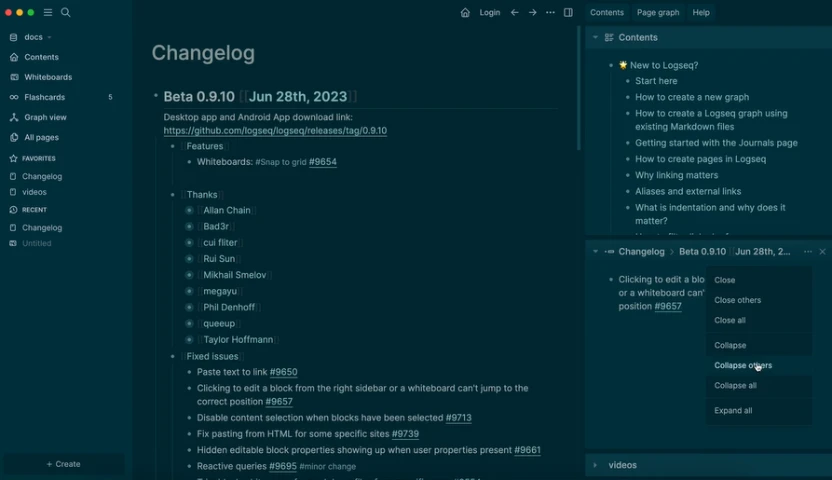
The core value of Logseq is deepening thinking and memory. It doesn't try to excel at rich layout or complex multimedia embedding. Instead, it focuses on helping you connect ideas and build relationships between pieces of knowledge. It is particularly suitable for researchers, writers, students, and anyone who needs to work intensively with text and construct conceptual frameworks over time.
II. Core Feature Comparison: The Key Differences at a Glance
The table below highlights the core differences between Buildin and Logseq. Key dimensions: outline mode vs. mixed-format documents, daily notes journal vs. database-first organization, graph view vs. kanban/table views, local-first storage vs. cloud collaboration, plugin-based AI vs. native AI integration, and solo use vs. team workspace.
| Dimension | Buildin | Logseq |
|---|---|---|
| Core positioning | An all-in-one growth platform that combines note-taking, collaboration, project management, and content monetization. | A personal knowledge management tool focused on bi-directional links, outline-based notes, and a local-first knowledge base. |
| Interface & editing experience | A Notion-style block editor that supports rich media embedding (images, video, code snippets, Figma, etc.), with clear page and database structures and a relatively gentle learning curve. | A minimalist outliner / block editor focused on text and links. The interface is intentionally simple; users need to get used to its specific keyboard shortcuts and interaction model. |
| Collaboration features | Native and robust collaboration: real-time co-editing, granular page/database permissions, @-mentions, comments, and task assignment, all designed with teams in mind. | More limited: primarily designed for individual use. Collaboration usually depends on file-based sync solutions. The team is working on real-time collaboration based on Logseq Database, but it is not yet a mature everyday workflow for most users. |
| Content monetization | Monetization is built in as a first-class capability. Creators can sell courses, templates, articles, and more directly inside Buildin, with both subscriptions and one-time purchases, and manage their subscribers in one place. | No native monetization features. To sell content, users typically export their material and rely on third-party platforms such as Gumroad or Ko-fi, which makes the workflow fragmented. |
| AI capabilities | Deeply integrated AI: offers AI writing assistance, content summarization, knowledge-base Q&A, mind-map generation, and more, with the goal of improving efficiency across the entire creation and information processing workflow. | Relies on community plugins. Users can connect to tools like ChatGPT via plugins for basic summarization or rewriting, but AI is not part of the core product design and remains relatively limited. |
| Data & deployment | Cloud sync plus private enterprise deployment. It provides convenient cloud services out of the box and, for organizations with strict compliance requirements, supports deploying the full system on self-hosted infrastructure. | Local-first by design. Data is stored locally on the user's device by default and can be synchronized using iCloud, Git, or other third-party cloud drives. There is no official enterprise-grade deployment offering. |
| Mobile experience | Offers official iOS and Android apps, allowing users to create, edit, collaborate, and consume content effectively on mobile devices. | Also provides official mobile apps, but the core outlining and heavy-duty editing experience is still optimized for desktop. |
| Migration costs | Supports one-click import from Notion: via the official Notion API, it preserves page structure, databases, and formatting as much as possible, keeping migration costs low. | Supports importing Markdown. Users can export their Notion workspace to Markdown and then import it into Logseq, but will lose database-level features and often need to manually clean up and reorganize content. |
III. Use Cases and User Personas
Ultimately, choosing between Buildin and Logseq comes down to how you think and what you need to accomplish. Logseq suits outliner-first thinkers who want a local-first PKM tool with full Markdown control, bidirectional links, a graph view, and daily journaling built in. Buildin suits knowledge workers and teams who need PKM, project tracking, and AI assistance in one cross-platform workspace — without juggling multiple apps or plugins.
| Use Case | Choose Buildin | Choose Logseq |
|---|---|---|
| Typical users | Content creators, knowledge entrepreneurs, team leads, project managers, companies looking for a serious Notion alternative, and users who care about a consistent cross-platform experience. | Deep thinkers, researchers, practitioners of the Zettelkasten method, minimalists, and privacy advocates. |
| Core needs | Choose Buildin if you: Need to turn your knowledge into products and monetize it directly (courses, digital products, membership content, etc.; need efficient team collaboration and project management in the same workspace as your documents and knowledge base; require stronger data governance and options for private, self-hosted deployment at the organizational level; want a fully integrated workflow that connects creation, collaboration, and business outcomes end-to-end. | Choose Logseq if you: Want to focus on building a deeply personal, non-linear knowledge network; care a great deal about local data storage and full control over your personal information; prefer a minimalist, distraction-free text editing environment; have a workflow centered on individual deep work and reflection, with little or no need for team collaboration. |
| Examples | A fitness coach uses Buildin to run a paid training community, hosting workout plans, nutrition guides, and members-only updates in one place. A remote product team uses Buildin as their central hub for managing product requirements, tracking bugs, and sharing design resources, so everyone always sees the latest information in context. | A researcher uses Logseq to link reading notes and theoretical insights, gradually forming a personal knowledge graph around their field of study. A writer uses Logseq to implement the Zettelkasten method, developing atomic notes and linking them over time into the structure of a future book. |
IV. In-Depth Analysis: Why Buildin Is the First Choice for Growth-Oriented Users
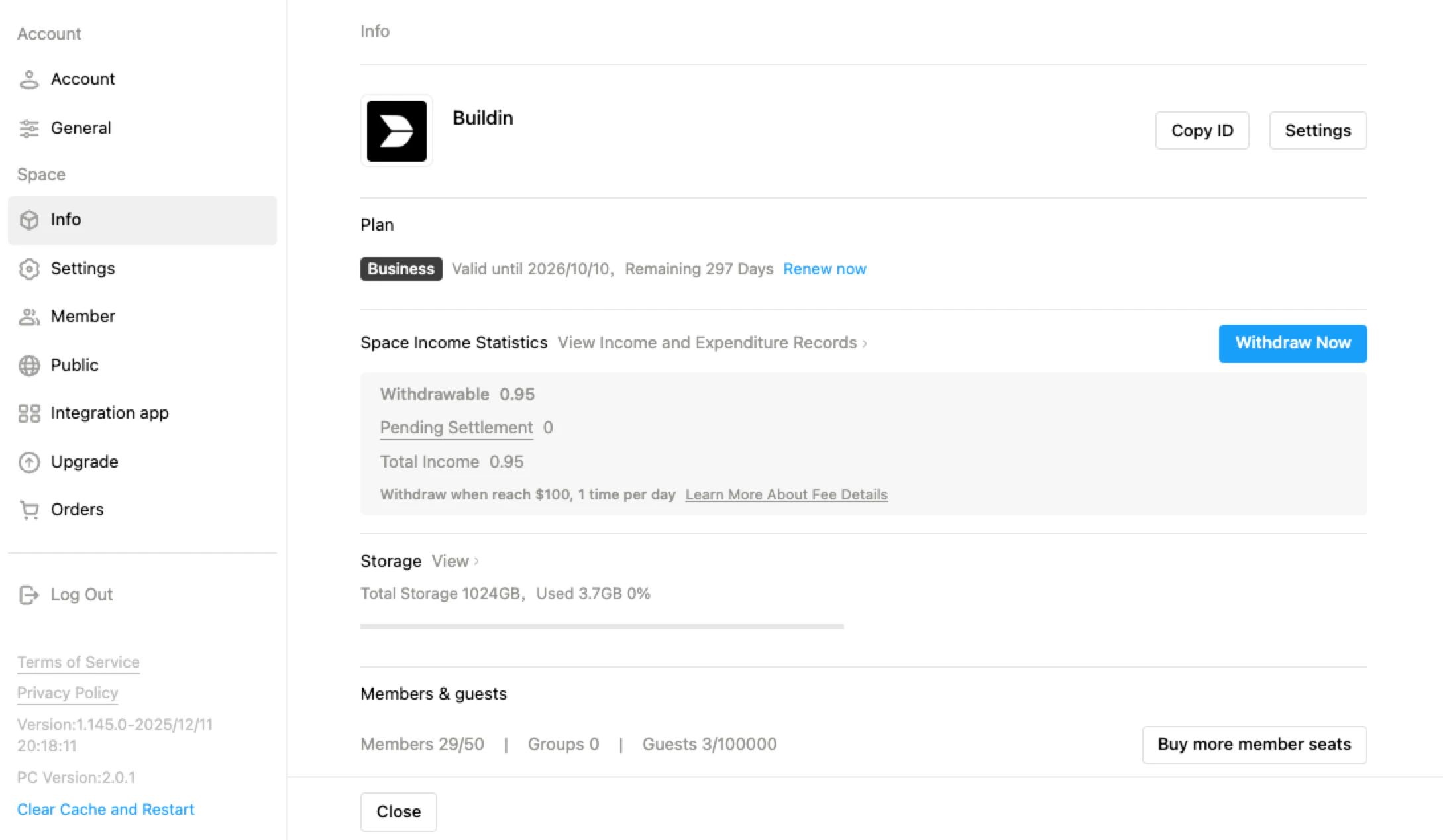
For users who want to turn knowledge into influence and revenue, Buildin's structural advantages matter. Four features in particular separate it from Logseq for growth-oriented users: native AI integration without plugin setup, team collaboration built into the foundation, database views for managing structured projects alongside documents, and a publishing layer that turns your workspace into shareable content.
A closed-loop ecosystem for knowledge workers: Logseq is built as a personal PKM tool — it captures and connects knowledge but stops there. Buildin closes the loop: write, organize with databases, collaborate with your team, and publish directly to a knowledge base — all in one platform with no third-party integrations required.
Collaboration built into the foundation: Logseq is fundamentally a single-user tool — its multiplayer sync is in beta and requires third-party services. Buildin has real-time collaboration in every workspace: share pages with granular role permissions, leave inline comments on any block, assign tasks, and work with teammates on any device with zero setup.
Native AI integration, no plugins needed: Logseq's AI capabilities come from community plugins — useful, but fragmented and requiring manual setup per device. Buildin ships with a native AI assistant that drafts content, summarizes notes, and generates structured outlines directly in the editor. AI is part of the platform, not an add-on.
V. Frequently Asked Questions
| Questions | Buildin | Logseq |
|---|---|---|
| If I only need a personal note-taking tool, which one is more suitable? | If you think you might eventually need collaboration or monetization, Buildin is the more forward-looking choice and can save you from a painful migration later. Its rich editing and organization capabilities also work well for purely personal use. | If you're sure you'll never need team features or monetization, and you're obsessed with building a dense personal knowledge network, Logseq's minimalism and focus on thinking and linking will likely be more appealing. |
| Is local storage (Logseq) safer than cloud storage (Buildin)? | Buildin provides professional cloud security and backups. Its key advantage for organizations is the option of private, self-hosted deployment, enabling the highest level of security and control when all data is kept entirely within your own infrastructure. | Logseq shifts security responsibility to the user. You avoid the risks associated with cloud providers, but you need to manage device risks yourself—such as hardware failure, loss, or malware. |
| Is it hard to migrate from Notion? | Migration is very smooth. Buildin offers a dedicated, API-based Notion import, which preserves structure and content as much as possible and keeps migration costs low. | Migration is more difficult and effectively a "downshift." You need to export your Notion workspace to Markdown and then import it, which means losing database-style advanced features and spending significant time on manual cleanup and restructuring. |
Conclusion
Buildin and Logseq are both well-built tools, but they serve different workflows. Logseq excels at outline-mode thinking, daily notes journaling, and graph view navigation — it's the right choice if you're a solo knowledge worker who thinks in atomic bullet points and wants a local-first, privacy-focused PKM system. Buildin is the better fit if you collaborate with others, need native AI without plugin configuration, or want to manage projects and publish content from the same workspace.
Buildin is built for a different goal: not just capturing knowledge, but connecting it across your team, structuring it into databases, and turning it into published output — all in one platform. Where Logseq stops at your personal graph, Buildin extends into collaborative workspaces, project management, and built-in AI. If you've outgrown local-only, single-user PKM, that's the gap Buildin fills.
If you're looking for a Logseq alternative that adds real-time collaboration, native AI, and a complete workspace without losing the focus on knowledge management — Buildin is worth a serious look. It's free to start, works on any platform (Windows, Mac, iOS, Android), and doesn't require plugins to unlock its core features.

Lisa Wang
Attentive to the details of digital writing and productivity tools, and experienced in shaping scattered information into structured content. Responsible for product experience documentation, user feedback analysis, and initial content drafting at Buildin.